Seeing your child’s scores
With a parent account, you can see how your child is doing: their scores on tests and exams, their answers on the coach’s tests, and how far they are in each course. You see what they see, and you can’t change anything.
Open My student
Sign in
Use the Coach / Parent tab on the sign-in page. New here? See Getting started.
Choose My student
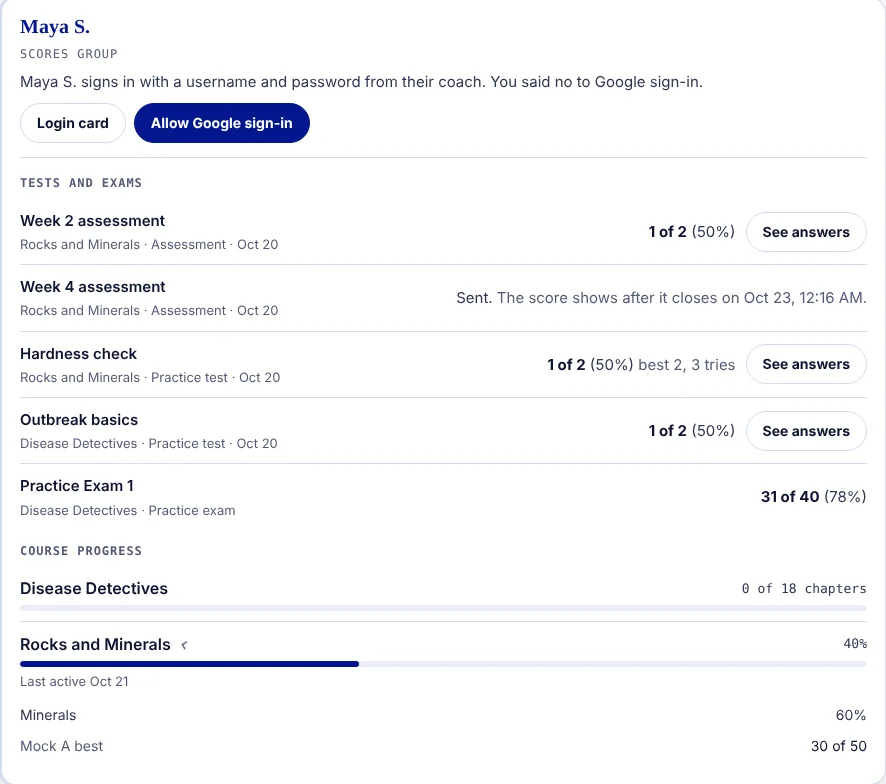
Open your name at the top right and choose My student. Each child linked to your account has a card. Their scores are under their login card.
 (opens full size)
Tests and exams
The newest are at the top. Each one says its course and what kind it is:
- Practice test: from the coach. Your child can take it as often as they like, and you see their latest score and their best.
- Assessment: from the coach, one try, like a tournament. The score shows after it closes, for you and for your child. Until then it says Sent and when it closes.
- Practice exam: the course’s own full practice exams. You see the score.
Not taken yet means a test is open and waiting for them. Missed means an assessment closed before they sent it.
See their answers
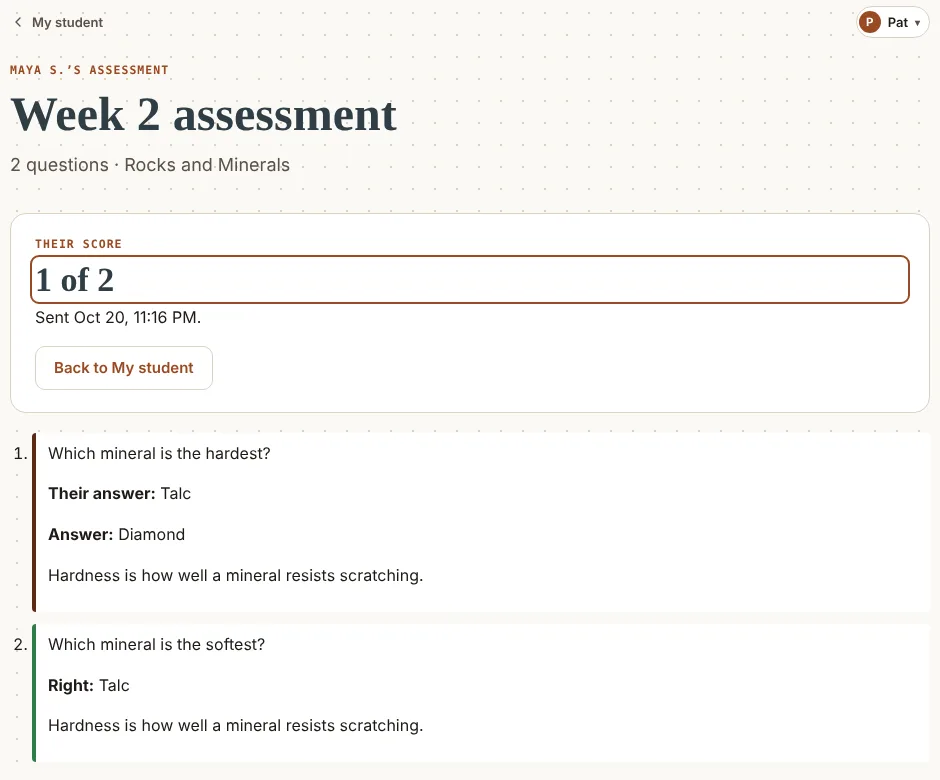
On a coach’s test with a score, choose See answers. You’ll see each question, what your child answered, the right answer, and the explanation. Choose Back to My student when you’re done.
 (opens full size)
Practice exams show the score only. To go over a practice exam, sit down with your child and look at it on their account.
Course progress
Every course in your child’s group has a bar showing how much they’ve done, and when they were last active. Choose a course to see each unit and its best scores.
Questions
I don’t see my child, or My student.
The team’s admin links parents to their child. Write to us from Help and we’ll sort it out.
Why can’t I see an assessment’s score yet?
Scores for an assessment show after it closes, so everyone in the group gets theirs at the same time. Your child is waiting too.
Can I change an answer or retake a test for them?
No. A parent account only looks. It never saves course work or changes a test.
Can my AI assistant read them?
Yes, if the admin has let parents connect one. It sees the same scores and answers you see here. See MCP support.
Can other parents see my child’s scores?
No. You see only the children linked to your account. Coaches see the scores of the students in their groups.
Still stuck? See Help to write to us, or Getting started for the rest of what parents can do.